


4 More Ways to use Augmented Reality Weather Content Every Day
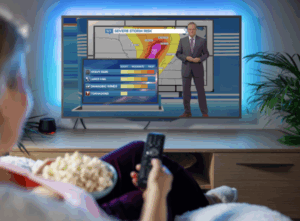
About a decade ago, while I was still working at KTRK in Houston, my news director came into the weather center and excitedly told me, “We’re going to be getting new software that creates augmented reality weather content!”
“Great!” I replied. “But what’s augmented reality weather content?” I literally had no idea what she was talking about.
Fast-forward a few months, and augmented reality weather content was a regular part of my daily weathercasts. Some scenes were quite simple yet effective in communicating essential information. Others were more complicated, like the one showing how thunderstorms develop using a 3D model of the skyline, complete with realistic clouds, falling raindrops, flashes of lightning, and sound effects.
READ MORE > 3 SIMPLE WAYS TO USE AUGMENTED REALITY EVERY DAY
These days, The Weather Channel, Telemundo Network, and CBS-owned television stations are taking AR weather content to another level with their immersive presentations, which position the broadcast meteorologist in the center of a computer-generated world.
Although it might not be as extravagant, television stations using The Weather Company’s Max Reality* software can create visually compelling content that delivers just as much punch. Here are four ways to utilize Max Reality every day that go beyond the typical maps and graphics, focusing viewers’ attention on significant details, highlighting trends and anticipated changes in the weather, and ultimately providing essential information that viewers want to know and need to know.
Studio Earth Pop-Outs
The typical weathercast is filled with satellite/radar loops and rainbow-colored maps covered in numbers. To the viewer at home, many of these maps look the same. Engage viewers by using Max Reality to pop a section of the map out of the wall and move it into the studio space. This simple and versatile effect prompts the viewer to focus on a specific part of the map, which can be an effective way to convey critical information.
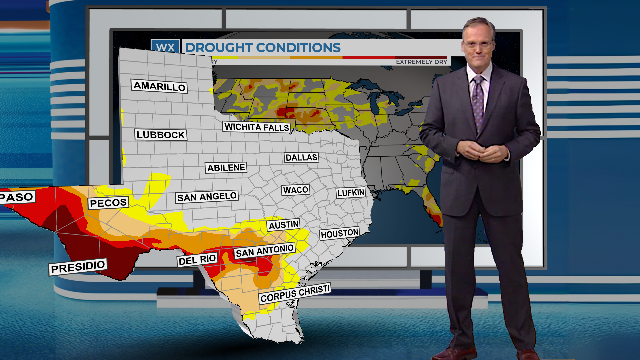
In the Weather Company’s Max Reality software, the cutout can be the entire Earth, the continental United States, a specific state or county, or a group of states or counties. There’s also an option to use a section of the map based on a specific shape, like a circle or square. Either option allows broadcast meteorologists to add a variety of data types to the map cut-out, including the proprietary Max Sky data shown below.

Bar Graphs and Line Graphs
Convert standard numeric data into a visual representation that helps viewers understand trends and changes in the weather using bar graphs and line graphs in Max Reality.
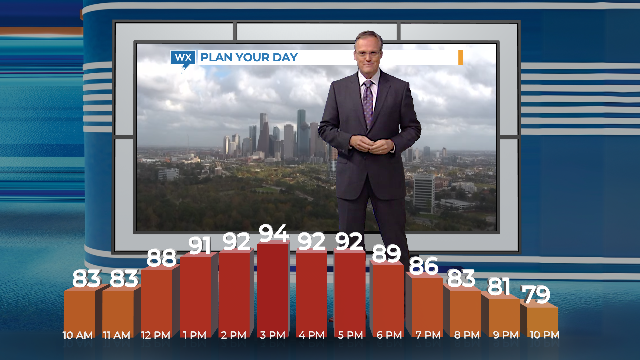
Metallic 3D blocks representing hour-by-hour temperatures, wind speeds, precipitation probabilities, and rainfall/snowfall accumulation can appear to grow out of a platform or the studio floor. Line graphs are another option, provided they’re displayed over a background that separates the foreground from the background.
Supplemental Data Panels
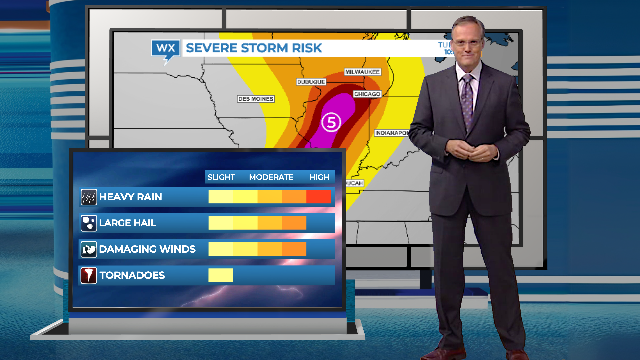
Sometimes the typical weather map needs more explanation. For those times, use Max Reality to add a data panel in the foreground that expands on the information displayed on the weather map in the background.
For example, the Convective Outlook map highlights where severe weather might develop, but it doesn’t identify the types of severe weather to expect. A data panel in the Reality layer breaks down the individual risks. Together, these two visuals deliver a more powerful message than they would separately.
Here’s another option. Use a Dynamic Panel to show the flight data collected by the Hurricane Hunter aircraft as it flies through tropical cyclones. Since objects in the Scene and Reality layers all reference the same timeline, you can pause the playback to point out specific wind speeds or air pressure on the data panel and show where that’s being reported based on the location of the plane icon on the flight map in the background.
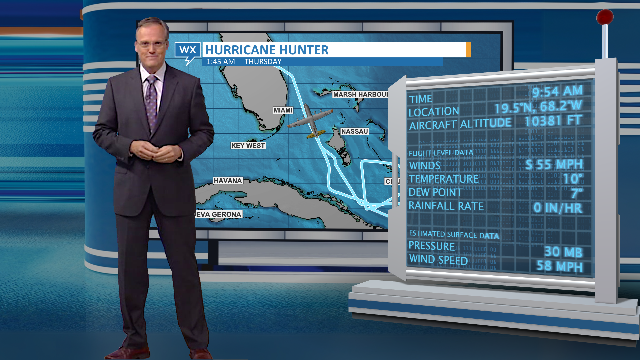
Create studio-size weather explainers
There are literally hundreds of scenes available to download on The Weather Company’s website. Many of the standard scenes can be easily converted into Max Reality scenes. Cut the content out of the main scene and paste it into the Reality layers over a platform or Earth cut-out.
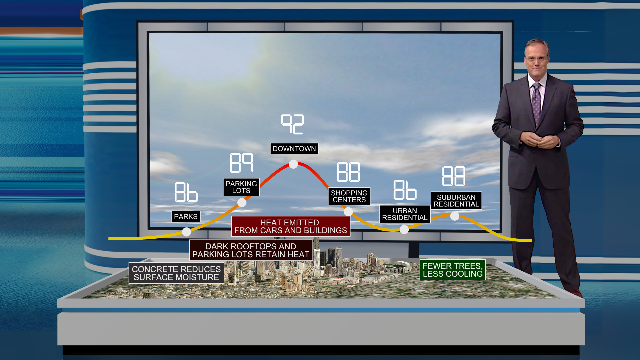
Many of the downloadable scenes include 3D models. Realistic cars, trees, buildings, and other lifestyle assets can also be combined from different scenes to create entirely new content. Sound effects, such as the sound of a car starting and stopping, add extra realism.
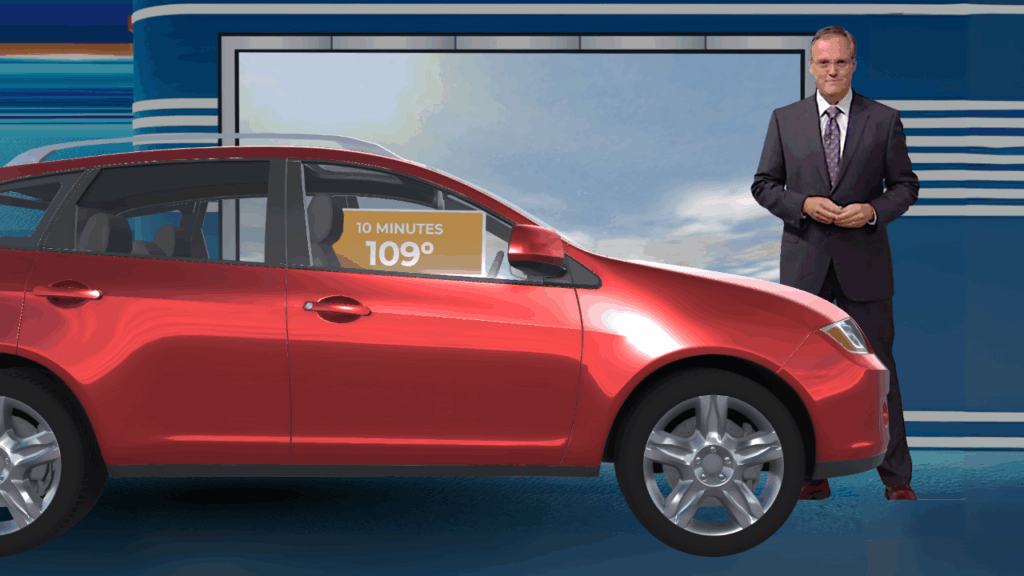
Admittedly, all of the scenes featured here take longer to create and require more time to execute on-air. However, in addition to being unique and more engaging, the final result differentiates your weather coverage from the competition (which includes generic weather apps!) More importantly, Max Reality content delivers the essential message in a way that viewers are more likely to watch and remember.
*HellerWeather has a marketing and training partnership with The Weather Company. If your weather team needs assistance designing and creating augmented reality weather content, Talk to Tim.
Tim Heller is an AMS Certified Broadcast Meteorologist, Talent Coach, and Weather Content Consultant. He helps local TV stations and broadcast meteorologists communicate more effectively and work more efficiently.
Read more News & Insights from HellerWeather